
Settling Your Family Entertainment Routine After Moving into a New Home
October 26, 2026 · 14 min read
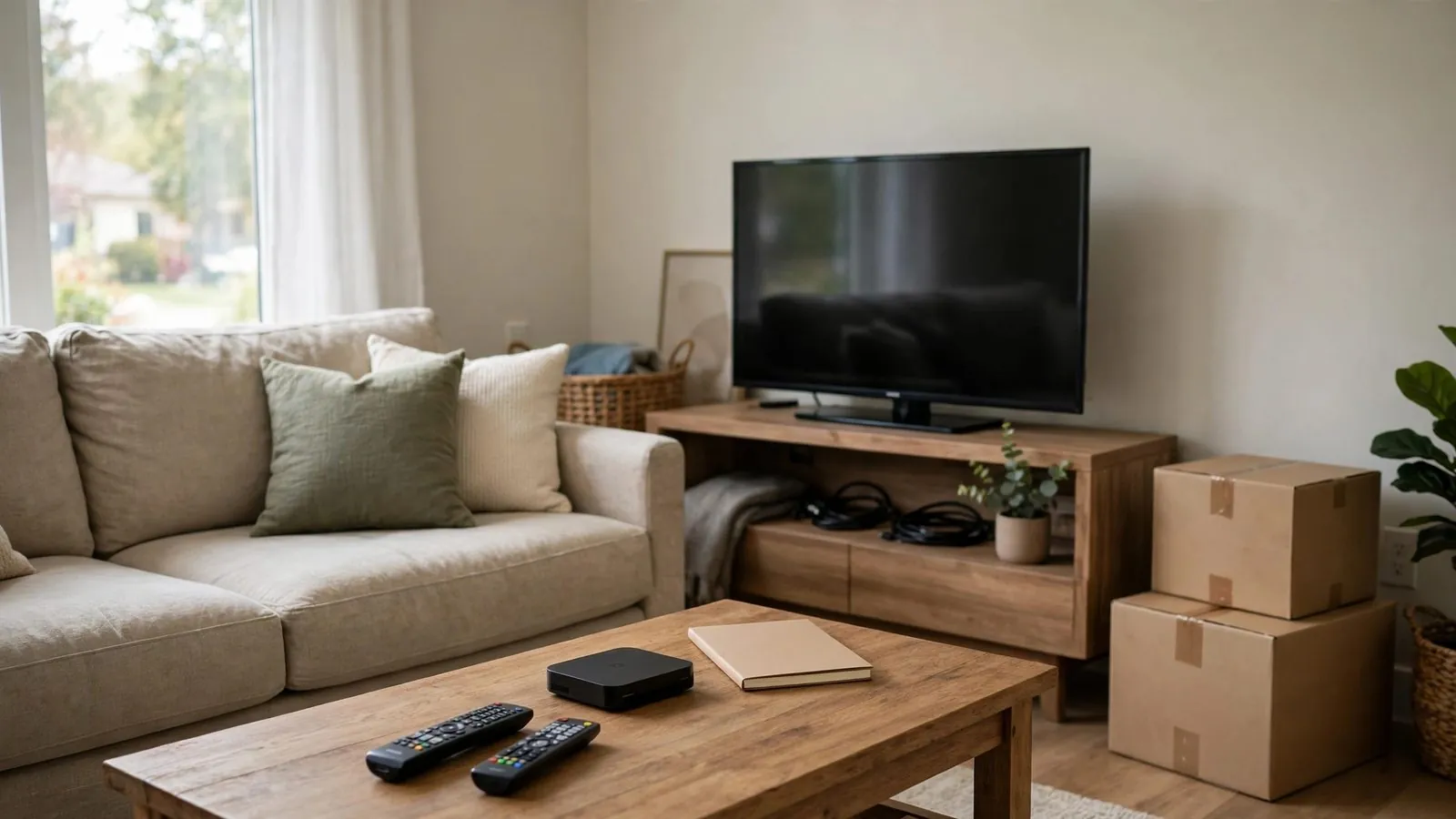
Relocating an entire household is frequently described as one of life’s most demanding milestones. Between navigating stacks of unmarked cardboard boxes, coordinating delivery schedules, and helping children adjust to unfamiliar bedrooms, everyday family life can quickly feel upended. During such significant transitions, familiar domestic routines can act as helpful grounding anchors. A predictable evening where the entire family gathers together on the sofa to share a laugh, or a quiet morning cartoon tradition that lets parents enjoy their morning coffee in peace, helps an unfamiliar property feel like a genuine home.
Restoring your entertainment setup should not be viewed as an afterthought or a frivolous indulgence amid moving tasks. When approached thoughtfully, establishing a practical media plan can provide comfort, ease friction over shared devices, and help restore a sense of routine during busy moving days. This guide explores practical, non-technical strategies to help your household organize viewing spaces, maintain healthy viewing habits, and re-establish comforting routines in your new family home.
The First 48 Hours: Unpacking Priorities for Domestic Calm
When arriving at a new property, the immediate instinct is often to tackle heavy kitchenware or unpack clothing wardrobes. However, leaving all leisure electronics buried deep inside taped boxes often creates unnecessary friction, especially when exhausted children need rest after a long moving day.
To ensure a smooth arrival, designate a dedicated "First Evening Essentials Box" before leaving your previous residence. This container should be clearly labeled and loaded onto the moving truck last so that it is unpacked first upon arrival. Inside, keep your primary living room media display accessories, including power cables, remote controls with fresh batteries, labeled HDMI interconnects, and your primary streaming adapter.
Having quick access to essential media accessories allows you to set up a shared screen once high-priority tasks are handled, rather than rushing a rapid thirty-minute installation. Crucially, entertainment should never substitute for active supervision, especially in an active unloading environment with heavy items or shifting crates. Ensure children have a cleared, safe space under proper adult care before introducing optional viewing, allowing family members a secure place to rest as moving work progresses.
Mapping the Physical Space: Sightlines, Glare, and Family Comfort
Every residential floor plan presents distinct acoustic and architectural characteristics. An entertainment layout that worked perfectly in a compact apartment or a traditional two-story home may not transfer seamlessly to an open-plan suburban living room.
Begin by observing the room's natural lighting patterns throughout the day. Take note of primary window exposures; south-facing and west-facing windows often introduce harsh afternoon glare that can wash out television screens right when children return from school. If your main media console faces an expansive window, plan on installing light-filtering window treatments or positioning the screen on an adjacent perpendicular wall.
Next, examine viewing distances and family sightlines. In a family home, the primary living area must accommodate multiple viewing angles rather than just a single central chair. Arrange sectional seating or low-profile armchairs so that everyone has a clear line of sight without straining their necks. Furthermore, unfurnished rooms with bare floorboards tend to cause acoustic reflections. Placing an area rug beneath the coffee table and adding soft throws or fabric curtains helps dampen room reverberation, which can reduce flutter echoes and make spoken audio easier to follow without excessive volume.
Centralized Family Hub vs. Personal Quiet Corners
One of the most consequential decisions when settling into a larger family home is deciding whether domestic viewing should remain centralized in one shared room or distributed across private spaces.
A centralized living room arrangement emphasizes collective family engagement. When the television remains exclusively in the main living area, parents retain natural oversight over what media is consumed and how much time children spend in front of screens. Shared viewing fosters collaborative discussions, negotiation over viewing selections, and spontaneous shared laughter. However, this model can occasionally lead to schedule conflicts when family members of differing ages wish to watch different programming concurrently.
Conversely, allocating secondary, modest viewing corners—such as a small screen in a finished basement or a designated family desk in a communal playroom—can alleviate sibling disputes during peak evening hours. If you implement secondary viewing zones, it is prudent to establish clear spatial boundaries from day one. Keeping personal bedrooms free from entertainment screens can support consistent sleep habits and encourages family members to spend their waking hours interacting in shared household spaces.
Child-Safe Placement and Cable Organization Essentials
Moving into a new home offers a clean slate to implement robust safety measures and tidy cable management before clutter accumulates. In the hustle of unpacking, loose cords and freestanding displays pose substantial safety risks to curious toddlers and active pets.
Always ensure that television displays are securely anchored before being put into service, following the display and furniture manufacturers' specific instructions. Depending on your wall structure—whether framed studs, solid masonry, or other substrates—use appropriately rated mounting hardware or certified anti-tip safety straps, seeking qualified professional help if you are uncertain about wall load capacity or anchoring methods. Ensure media furniture is sturdy, level, and stable on your flooring.
Cable management is equally vital for domestic safety and visual calm:
• Route power cords and low-voltage signal cables neatly using surface raceways or cord covers rated for your cable types, keeping wiring organized without pinching or exceeding bend radii.
• Keep multi-socket power strips off traffic paths using manufacturer-approved mounting keyholes or ventilated floor enclosures, ensuring adequate heat dissipation and keeping cords away from young children.
• Clearly label both ends of every cable with color-coded adhesive tags, noting the corresponding device to make future adjustments straightforward.
• Store spare game controllers, physical media discs, and accessories inside lidded baskets or closed cabinet doors to prevent tripping hazards.
Securing displays before use and organizing cabling promptly helps reduce physical hazards and creates an orderly entertainment area that is easier to maintain.
Managing Screen Time and Daily Structure During Transition Weeks
Moving house inevitably disrupts established daily rhythms. During the initial fortnight, children often feel disoriented by changes in school commutes, new neighborhood layouts, and the temporary loss of their neighborhood peer group. Under these conditions, screen usage can unintentionally drift from a balanced leisure activity into an all-day digital babysitter.
While extra viewing latitude is common while parents assemble flat-pack furniture or meet utility technicians, establishing basic daily boundaries can help prevent children from feeling overwhelmed. An optional three-block structure can serve as a flexible reference:
• Morning Momentum: Keep screens switched off until morning routines, breakfasts, and basic room tidying are finished.
• Active Daylight: Dedicate the middle of the day to outdoor exploration, unpacking cooperative projects, or setting up personal bedrooms.
• Evening Decompression: Reserve designated viewing windows for the late afternoon or early evening, signaling the end of physical moving chores.
Communicating these preferences with empathy helps children understand that daily screen guidelines provide predictable structure. Clear expectations can make transitions between unpacking tasks, outdoor play, and quiet media time smoother for the whole family.
Rebuilding Shared Evening Rituals and Family Traditions
Once major furniture is positioned and essential boxes are cleared, focus on reviving the small traditions that define your family life. The emotional atmosphere of a home is shaped by recurring rituals that foster a sense of security and belonging.
Consider designating a specific night of the week—such as Friday or Saturday evening—as your ceremonial Family Movie Night. Let family members take turns selecting the feature film, rotating through each person's preferences across successive weeks. Complement the tradition with tactile touches: warm homemade popcorn, dimming the main living room lights, and bringing favorite blankets from the bedrooms down to the sofa.
For weekend mornings, consider re-establishing a gentle tradition such as watching wildlife documentaries or educational programs while the family prepares a relaxed weekend breakfast together. These familiar traditions help remind family members that despite unfamiliar surroundings and unpacked boxes, comforting domestic rhythms continue.
The Moving-Week Family Media Setup Checklist
Implementing a systematic approach prevents frustration and ensures no vital accessory is lost in transit. Use this structured checklist to guide your household entertainment setup across the moving timeline:
• One Week Prior to Departure:
• Photograph the rear panel of all current entertainment equipment to create an instant reference of cable configurations.
• Where supported by your streaming devices, export configuration backups to private storage; keep machine-readable backup files intact rather than editing them, and record any separate setup notes without sensitive passwords.
• Consolidate all remotes, specialty charging adapters, and power bricks into a single zippered tote bag.
• Notify your broadband provider of your move date to ensure home connectivity is scheduled for activation on or before arrival day.
• Moving Day (Arrival Phase):
• Unload the labeled First Evening Essentials Box into the designated primary living area.
• Position the media console against its planned wall, verify levelness, and anchor any operational display immediately before use using approved anti-tip straps or brackets.
• Position power strips in ventilated, out-of-reach locations and verify that electrical outlets operate normally.
• Connect primary viewing devices and verify that interfaces initialize without issues.
• The First Weekend:
• Inspect display anchors, mountings, and furniture stability under normal household conditions.
• Route permanent cabling through rated surface raceways or approved organizers suitable for power and data cords.
• Add an area rug and soft furnishings to help dampen room reflections and improve listening comfort.
• Where supported by your operating systems and streaming applications, review profile filters and parental PINs.
• Month One (Settling In):
• Evaluate room comfort during differing weather and daylight conditions, adjusting window curtains if glare persists.
• Hold a brief family discussion to review screen-time schedules and confirm that evening routines feel balanced for everyone.
Evaluating Household Layouts: Central Hub vs. Zoned Scheduling
Deciding how to arrange your family's media consumption spaces depends on home dimensions, children's age groups, and everyday lifestyle priorities. The comparison below illustrates the trade-offs between two common household models:
Household Dimension: Primary Location · Centralized Family Hub Setup: Dedicated main living room or family salon. · Zoned Multi-Room Scheduling: Main living room paired with a secondary den or study.
Household Dimension: Supervision Level · Centralized Family Hub Setup: High natural parental visibility and shared awareness. · Zoned Multi-Room Scheduling: Requires deliberate parental oversight and profile controls where supported.
Household Dimension: Sibling Dynamics · Centralized Family Hub Setup: Requires negotiation, patience, and shared consensus. · Zoned Multi-Room Scheduling: Can reduce daily schedule clashes and accommodate differing preferences.
Household Dimension: Acoustic Impact · Centralized Family Hub Setup: Sound concentrated in one room, though volume care is needed near bedrooms. · Zoned Multi-Room Scheduling: May generate overlapping sound if rooms are closely situated.
Household Dimension: Social Atmosphere · Centralized Family Hub Setup: Promotes shared conversation and bonding. · Zoned Multi-Room Scheduling: Facilitates independent leisure or focused personal relaxation.
Household Dimension: Setup Complexity · Centralized Family Hub Setup: Low; single furniture cluster and straightforward cable grouping. · Zoned Multi-Room Scheduling: Moderate; requires configuring multiple viewing spaces.
Household Dimension: Best Suited For · Centralized Family Hub Setup: Often preferred for younger children needing shared oversight. · Zoned Multi-Room Scheduling: Often chosen by households with teenagers or differing schedules.
Both configurations can support a harmonious home environment when paired with mutual consideration and clear guidelines.
Hypothetical Household Scenarios: Practical Solutions in Practice
To see these organizational principles applied in realistic family settings, consider two hypothetical household examples.
Scenario A: The Davies Family (Suburban House with Young Children)
The Davies household consists of two parents, a four-year-old toddler, and a seven-year-old child who recently moved from a small flat into a detached home with an open-plan kitchen and living area. During their first week, the parents noticed that having the television active all day in the open living space disrupted dinner preparation and caused bedtime resistance.
*The Practical Adjustment:* The parents relocated their entertainment console to the far corner of the living area, away from direct sightlines of the kitchen dining table. They established an "after-dinner screen boundary," replacing late-night viewing with audio storybooks in the children's bedrooms. To protect account privacy while setting up client applications on shared smart displays, the parents entered credentials without displaying passwords to children or guests. Where available, they enabled device-level parental restriction PINs for purchases, while keeping master account details and configuration backups stored in a secure password manager rather than on shared family notes.
Scenario B: The Martinez Family (Two-Story Home with Adolescents)
The Martinez family includes parents and two teenagers aged thirteen and sixteen. Upon moving into a two-story home, the teenagers initially retreated into their respective upstairs bedrooms with their personal mobile screens, isolating themselves from shared family interaction and staying awake late into the night.
*The Practical Adjustment:* The parents converted an underutilized basement recreation space into a shared teenage media den, establishing a house rule that personal bedrooms remain screen-free sanctuaries after 9:30 PM. To balance autonomy with oversight, the parents organized a recurring Wednesday evening sports and documentary night in the main ground-floor living room, alternating viewing choices between parents and teenagers. When entering login details or setting up profile parameters across devices, family members entered credentials directly without storing passwords in plain text on shared notes, recognizing that individual user profiles share the same underlying subscription account.
Conclusion: Making Your New House Feel Like Home
Moving into a new residence represents an exciting chapter filled with fresh possibilities for your household. While the physical workload of settling in can feel daunting at times, remembering the importance of domestic leisure helps keep stress in perspective. By thoughtfully planning your physical viewing layout, securing cables and screens before use, and establishing predictable evening routines, you can help ease the transition into your new home. With patience, unpacked boxes will give way to a settled household, and shared entertainment traditions can offer a comforting space for your family to relax together.
Want the full Marinios IPTV experience?
Frequently asked questions
How can we entertain younger children while unpacking without letting screen time get out of hand?
Establish a designated, supervised resting area away from heavy lifting and moving traffic before offering any optional activities. An adult or trusted caregiver should oversee younger children while others handle unloading. If you choose to offer screen time, keep sessions moderate and flexible based on your family's preferences, alternating brief viewing periods with supervised low-stress activities like drawing on packing paper or sorting personal toys.
What should we do if our new living room has excessive echo during television viewing?
Unfurnished or sparsely decorated rooms with hard flooring can bounce sound waves, which may make dialogue harder to understand while background effects sound overly prominent. Before investing in complex audio equipment, try soft domestic furnishings: place an area rug between the display and seating, hang fabric curtains over bare windows, and add cushions or book-filled shelves. These materials help absorb flutter echoes and diminish room reverberation, which can make spoken audio easier to follow at moderate volumes.
How do we handle disagreements between children of different ages over what to watch?
Consider posting a clear, agreed-upon viewing calendar in a shared area. Assign specific days to each sibling for primary program selection, while designating other times for collaborative family choices. Setting predictable turns can help encourage compromise and reduce daily friction over program selection.
Is it better to mount our family television or use a traditional media sideboard?
Both methods can be safe when properly secured according to manufacturer instructions. Wall mounting keeps the display off furniture surfaces, but requires hardware specifically rated for your television's weight and your exact wall construction (such as framed studs, brick, or concrete), with professional assistance if wall capacity is uncertain. A media sideboard avoids wall drilling, but must be sturdy, level, and anchored along with the display using certified anti-tip safety straps.
How can parents protect sensitive login details and account credentials when setting up media devices in a busy household?
During initial setup, enter account passwords without small children or guests watching screen inputs, and store credentials in a secure password manager rather than on shared family notepads. Where supported by your hardware and streaming platforms, configure optional profile locks or child PINs to prevent unauthorized account changes, keeping in mind that local profiles share the underlying master account and do not replace secure credential management.
Read next: the pricing page or the FAQ.