
Zero-Lag IPTV for Fantasy Football & Live Betting
August 30, 2026 · 9 min read
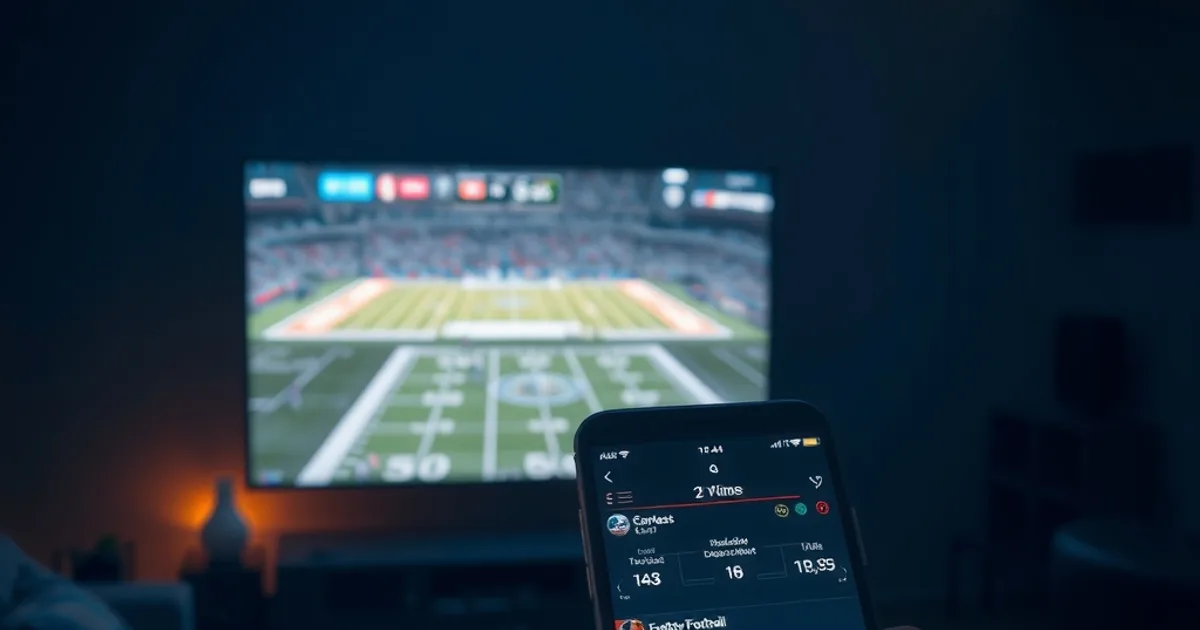
The NFL season kicks off on September 9, 2026 — ten days from now — and fantasy drafts are already peaking across the league's app and every major platform. If you're one of the growing share of fans (research now puts mobile viewing at roughly 46% of sports streaming) who watch a game on one screen while managing a fantasy roster or a live bet on another, you already know the real enemy isn't buffering. It's the gap between what's actually happening on the field and what you're seeing.
Most 'best IPTV for sports' roundups compare channel access and price and stop there. They almost never mention that a typical IPTV stream — even a good one — can lag 10 to 30 seconds behind the live broadcast. That gap is invisible until the moment it costs you: a waiver-wire claim you lose by seconds, a live bet line that's already moved, a touchdown reaction on social media that spoils the play before you've seen it.
This guide is about that gap specifically — why it exists, what Marinios' Anti-Freeze™ technology does about it, and exactly how to configure your setup for sub-2-second latency before kickoff.
Why Stream Delay Costs Fantasy Owners Real Money
A 10-to-30-second delay sounds trivial until you map it onto how fantasy football and in-play betting actually work. Waiver claims during a live injury scramble, same-game parlays that adjust odds in real time, and daily fantasy lineup swaps before a snap all operate on a clock measured in single-digit seconds. If your stream is 20 seconds behind the stadium feed, you're not watching the game late — you're making decisions on stale information while everyone reacting to the live broadcast (Twitter, the official app, a friend at the stadium) has already moved.
The delay comes from several places stacking on top of each other: the broadcaster's own encoding pipeline, the CDN hops between the source and your device, and — often the biggest single contributor — the player app's buffer, which many apps set conservatively large to guarantee smooth playback on unreliable connections. Standard HLS streaming, the protocol most IPTV relies on, was originally designed for on-demand video, not real-time sport, and its default segment-and-buffer behavior can easily add 15-30 seconds on its own.
For casual viewing, none of this matters. For live fantasy and betting decisions, it's the difference between acting on the game and acting on a rumor of the game.
Not sure if your router and connection can hit sub-2-second latency? Ask us before your next draft.
How Anti-Freeze™ Eliminates Broadcast Lag: Marinios Architecture
Anti-Freeze™ targets the two levers that actually move the needle on end-to-end delay: segment size and buffer strategy. Instead of the long GOP (group of pictures) and multi-segment buffering that standard IPTV delivery uses for resilience, the pipeline is tuned toward shorter, more frequent segments and a player-side buffer that holds only what's strictly necessary to absorb network jitter — not extra seconds 'just in case.'
The practical effect is that the system trades a small amount of resilience against a bad connection for a large reduction in delay on a good one. That's the correct trade for anyone on a stable home or fiber connection watching live sport for a time-sensitive reason, and it's why Anti-Freeze™ is positioned specifically for sports viewers rather than as a blanket setting for every stream type.
It's also worth being honest about what this technology can't fix: it reduces the delay Marinios' own pipeline introduces, but it cannot undo latency injected upstream by the original broadcast feed itself, or by your own ISP and Wi-Fi. Those layers matter just as much, which is why the setup steps below aren't optional extras — they're half the equation.
Setup for Sub-2-Second Latency: Network, Device, App Settings
Start with the network. Wi-Fi, especially 2.4GHz Wi-Fi with other devices competing for airtime, is the single most common source of added jitter and micro-stutters that force a player to pad its buffer defensively. A wired Ethernet connection from your streaming device to the router is the single highest-leverage change you can make. If Ethernet genuinely isn't possible, use 5GHz Wi-Fi on a channel with minimal congestion and keep the device as close to the router as practical.
On the router side, if your firmware exposes QoS (Quality of Service) settings, prioritize the streaming device's traffic. This matters more than raw bandwidth — a fast connection with inconsistent jitter will still force extra buffering, while a modest but stable connection with QoS applied often performs better for live sport specifically.
On the app side, look for a 'low latency' or 'buffer size' setting in your player. TiviMate, IPTV Smarters, and similar apps typically default to a buffer sized for stability over speed; dropping it to the smallest stable value the app allows is the app-layer complement to Anti-Freeze™. Our companion guide covers this in more depth if you're choosing between players — see /marinios-best-iptv-app-tivimate-smarters for a full setup walkthrough, and /marinios-4k-iptv-setup-2026 if you're also chasing picture quality on the same connection, since 4K bitrates and minimal buffering pull against each other and need to be balanced.
Finally, restart the app (not just the stream) after changing buffer settings — most players only apply a new buffer target on a fresh session, not mid-stream.
NFL, Champions League & Premier League: What to Expect on Marinios
Latency isn't identical across leagues and competitions, because it depends partly on how the original broadcaster encodes and distributes the feed before it ever reaches an IPTV provider. NFL broadcasts in the US typically move through a domestic production and distribution chain with fewer international relay hops, which tends to favor lower baseline latency. Champions League and Premier League matches, watched from outside their home markets, often pass through an extra international relay or regional feed hand-off before redistribution — an extra step that can add delay regardless of what any IPTV provider does downstream.
What this means practically: with Anti-Freeze™ enabled and the network setup above in place, sub-2-second latency is a realistic target for domestic NFL coverage on a stable wired connection. For European football watched internationally, treat sub-5-second as a strong result and sub-2-second as a bonus depending on the specific match's broadcast chain that week — it varies by fixture, not just by league.
If sports viewing is your primary use case across all three competitions, our sports channel overview at /marinios-iptv-sports-channels is worth checking alongside this guide, since coverage and access details differ from the latency question this article focuses on.
Mobile Multi-App Setup: Fantasy App + Marinios on Same Device
Running Marinios and a fantasy or betting app side-by-side on one phone — split screen or fast app-switching — is where the 46% mobile-viewing figure becomes personally relevant. The good news is that a low-latency IPTV stream and a fantasy/betting app don't compete for the same resources in any meaningful way; the risk is entirely about network, not CPU.
If you're on a shared home Wi-Fi network with other streaming or gaming devices active, that congestion hits your mobile stream harder than a wired living-room setup, simply because mobile devices are already on the more variable half of the network. Where possible, keep other high-bandwidth devices (a 4K TV stream, a console download) off the network during a live game you're actively managing a lineup around.
For split-screen or picture-in-picture use specifically, a slightly higher buffer than the absolute minimum can actually help — app-switching briefly interrupts the stream's network priority on some phones, and a razor-thin buffer will visibly stutter when you tab back in. If you regularly run multiple screens or devices on one account, our guide at /marinios-iptv-multi-device-simultaneous-streaming-guide covers the account and bandwidth side of that setup.
VPN & Geo-Block Latency Trade-offs: When to Use, When to Skip
A VPN adds a routing hop, and a routing hop adds latency — usually somewhere between a few milliseconds and a genuinely noticeable delay, depending on the VPN server's location relative to you and to the stream source. For a low-latency sports setup, the rule is simple: only run a VPN when you have a specific reason to (device requirement, network restriction, geo-related access issue), and when you do, pick the server location physically closest to you rather than one chosen for any other reason.
A lot of VPN-and-IPTV advice online overstates what a VPN does or doesn't affect, so if this is a live question for your setup, read /vpn-and-iptv-myths-2026 before assuming you need one at all — for most Marinios users on a stable home connection, skipping the VPN entirely is the lower-latency choice and the simpler one.
Kickoff is 10 days out — lock in Anti-Freeze™ streaming before the fantasy season and live-betting windows heat up.
Testing Latency Before Your Drafts: DIY Benchmarking Tools
Don't wait for kickoff to find out where your latency actually lands — test it during any live game this week, before your draft or a real betting decision is on the line. The simplest method costs nothing: open your stream next to a live source with a visible, verifiable clock or score update, such as the league's own official app or a live scoreboard site with a timestamp, and time the gap with your phone's stopwatch from a visible event (a scoring play, a big hit) to when you see it on your stream.
A second method: follow live commentary on social media from an account known to post in near real time, and note the delay between their post and the same moment appearing on your stream. Neither method is lab-grade precise, but both are accurate enough to tell you whether you're in low-single-digit-second territory or still carrying a real broadcast lag — and precise enough to tell you whether a settings change actually helped.
Run this test after any change — a new router, a firmware update, switching from Wi-Fi to Ethernet, adjusting the app's buffer — since latency regressions are often silent until you specifically check for them.
Frequently asked questions
Does Anti-Freeze™ work on every device, or only certain apps?
Anti-Freeze™ operates on the delivery side of the stream, so it benefits any player app you use with Marinios. The remaining gains — buffer size, low-latency mode — depend on what your specific player app exposes in its settings, which is why the app-side setup step still matters even with Anti-Freeze™ active.
Will lowering my buffer cause more stuttering?
It can, if your network isn't stable enough to support it. The buffer exists specifically to absorb jitter — lowering it trades some resilience for lower delay. On a wired, stable connection this trade is usually worth it for live sport; on a congested or Wi-Fi-only connection, test carefully and back off if you see stutters.
Is the delay the same for every match, or does it change week to week?
It can vary by fixture, because part of the delay originates upstream in how the original broadcaster produces and relays the feed, not just in how it's delivered to you. Domestic NFL coverage tends to be more consistently low-latency than internationally relayed competitions like Champions League or Premier League.
Do I need a VPN to watch NFL, Champions League, or Premier League with low latency?
No — a VPN is not required for latency and generally adds a small amount of delay rather than removing it. Only use one if you have a specific access or restriction reason to, and choose the closest available server location if you do.
How do I actually know if my setup hit sub-2-second latency?
Use the stopwatch method described above: time the gap between a visible live event (a score, a big play) on an independent real-time source and the same moment appearing on your Marinios stream. It's not lab-precise, but it's accurate enough to confirm whether your setup is working.
Will 4K quality settings conflict with low-latency settings?
They can pull in opposite directions, since higher bitrates need more buffering headroom on an unstable connection. If your priority for a specific game is speed over resolution, dropping to a lower quality tier temporarily is a reasonable trade-off — see our 4K setup guide for how to balance the two generally.
Read next: the pricing page or the FAQ.